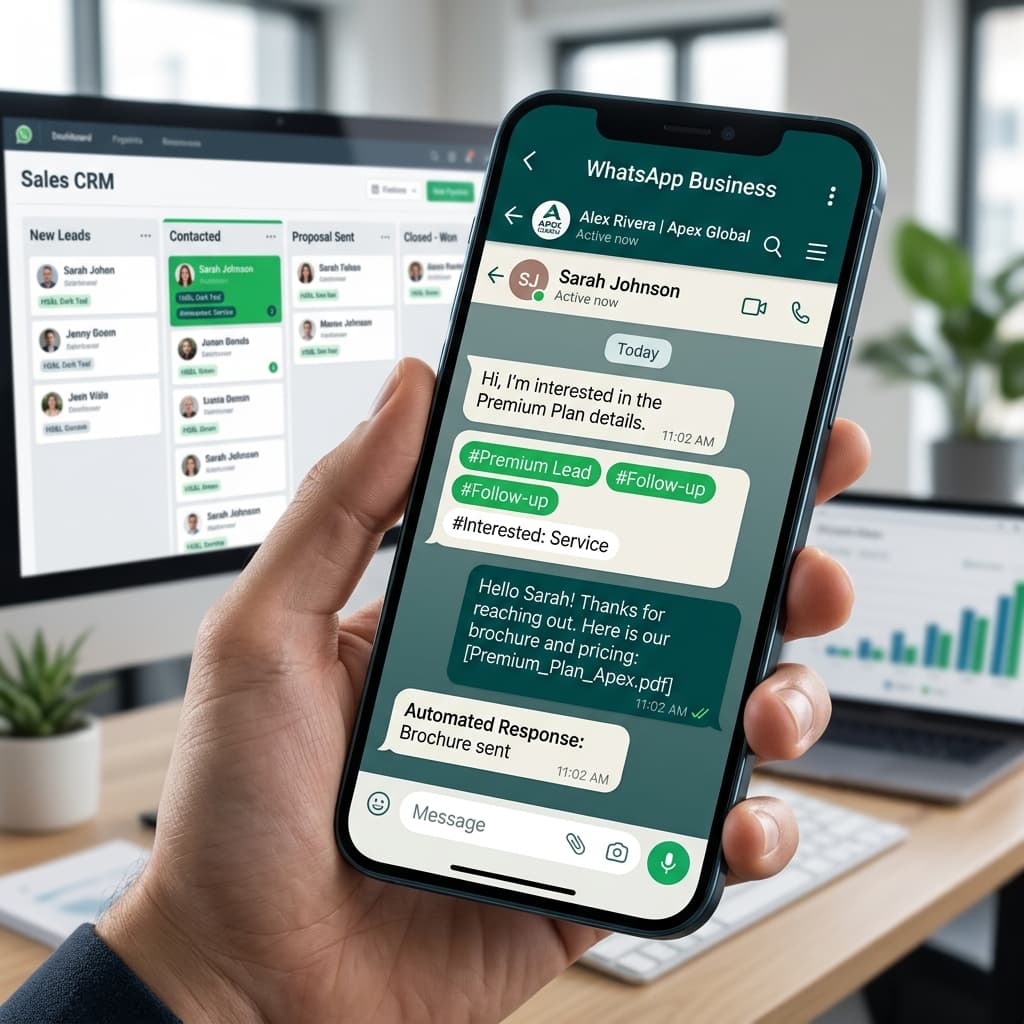
WhatsApp CRM: How to Transform Customer Conversations into Sales
WhatsApp is how people communicate. Over 2 billion users globally, millions in Kenya alone. Your customers are on it. Your competitors know it too.
But here's the problem: managing customer conversations on WhatsApp without proper tools is chaos.
Messages get lost. You don't know who replied. Follow-ups fall through the cracks. Your team doesn't know what's been said to which customer.
That's where WhatsApp CRM comes in.
Why WhatsApp for Business?
WhatsApp isn't just messaging. It's your primary communication channel for customers.
Why customers prefer WhatsApp:
- It's on their phone already
- Messaging feels less formal than email
- Faster response than phone calls
- Can share media and location easily
- Feels personal, not corporate
The problem:
Managing dozens of customer conversations across a team, on standard WhatsApp? Impossible.
You need a system that:
- Keeps all messages in one place
- Assigns conversations to team members
- Tracks conversation history
- Reminds you of follow-ups
- Shows customer context (order history, previous issues, etc.)
That's a WhatsApp CRM.
What a WhatsApp CRM Does
1. Unified Inbox
All customer WhatsApp messages in one place. Your entire team sees the same conversation history.
No more "Did someone already reply to Ahmed?"
2. Team Assignment
Route messages to the right person:
- Sales queries → sales team
- Support issues → support team
- Bulk inquiries → manager
Conversations don't slip through the cracks.
3. Customer Context
When a message arrives, you see:
- Customer history (previous orders, issues, interactions)
- Tags (VIP, struggling, unresponsive, etc.)
- Contact info and preferences
- Previous conversations and resolutions
This context matters. You're not starting from scratch each conversation.
4. Automation
Template messages for common queries:
- "What's the status of my order?"
- "How much for bulk pricing?"
- "What's your return policy?"
Quick, consistent responses. Saves time.
Broadcast messaging for announcements:
- "New product launch tomorrow"
- "50% off this weekend only"
- "Delivery update: You're next"
Send to hundreds of customers at once, personalized.
Scheduled messages for follow-up:
- "Check in on leads who didn't convert"
- "Thank you message after purchase"
- "Upsell reminder for repeat customers"
5. Integration
Your CRM connects to:
- Accounting software (invoice customers via WhatsApp)
- E-commerce (send order updates)
- Inventory (stock status inquiries)
- Calendar (book appointments)
- Payment system (send invoices, collect payments)
No back-and-forth between systems. Everything flows through WhatsApp.
6. Analytics
See:
- Response time (how fast your team replies)
- Conversion rate (messages → sales)
- Message volume and trends
- Team performance (who closes most sales)
- Customer engagement (which messages get responses)
Data helps you improve.
Real-World Impact
Before WhatsApp CRM
Sales team managing WhatsApp manually:
- 50 customer messages per day
- Each team member has their own WhatsApp account
- Ahmed didn't see messages to Fatima's number
- Message history scattered across individual phones
- Follow-ups forgotten
- No way to know who's handling what
Result: 20% of inquiries go unanswered. Sales slip through the cracks.
After WhatsApp CRM
Same sales team using WhatsApp CRM:
- All 50 messages in one inbox
- Team sees every message
- Unresponded messages visible to everyone
- One unified customer conversation history
- Automated reminders for follow-ups
- Manager can see who's doing well
Result: 95% of inquiries get response within 2 hours. Sales increase 30-40%.
Use Cases in Kenya
E-commerce Business
Customer: "Do you have this in size L?"
Old way: Check WhatsApp, check inventory system manually, calculate shipping, calculate price, reply.
With CRM: WhatsApp Agent checks inventory in real-time, calculates shipping, responds in 30 seconds.
Result: Faster response, more conversions.
Service Business (Laundry, Repairs, etc.)
Customer: "When can you deliver my clothes?"
Old way: Check WhatsApp, check delivery schedule manually, calculate ETA, reply.
With CRM: WhatsApp Agent checks system, gives exact delivery time, sends tracking link.
Result: Better customer experience, less "Where's my order?" messages.
B2B Sales
Prospect: "What's the bulk pricing on 100 units?"
Old way: Prospect message sits unread for hours. Sales team busy. Finally replies with generic quote.
With CRM: Routing rule sends it to right sales person immediately. Template response with custom pricing sent in minutes.
Result: Faster closing, higher conversion.
Costs & ROI
WhatsApp CRM Software (Monthly):
- Basic: KES 5k - 15k ($35 - $100)
- Professional: KES 15k - 50k ($100 - $350)
- Enterprise: KES 50k+ ($350+)
Custom WhatsApp CRM (Fully Integrated):
- Development: KES 300k - 1M ($2k - $7k)
- Monthly maintenance: KES 10k - 30k ($70 - $200)
ROI Example:
Small e-commerce business:
- 30 customer inquiries per day
- 20% previously went unanswered
- Average order value: KES 5,000
- Conversion rate improved from 30% to 60% (with faster responses)
Monthly impact:
- Additional sales from faster response: 6 orders × KES 5,000 = KES 30,000
- CRM cost: KES 15,000
- Net gain: KES 15,000/month
ROI: Payback in 1 month
Getting Started with WhatsApp CRM
Step 1: Choose Your Solution
Option A: Existing CRM Tools
- BiasharaChats, Twilio, Wati, Trengo
- Quick to deploy (days, not weeks)
- Pre-built features
- Monthly cost
Option B: Custom Integration
- Your own CRM with WhatsApp API integrated
- Built specifically for your workflow
- Owned by you
- Higher upfront cost
Step 2: Set Up Your Workflow
- Which queries go to which team member?
- What automation makes sense? (Inventory checks? Payment collection?)
- How do you track follow-ups?
Step 3: Train Your Team
Your team needs to:
- Know the system
- Use it consistently
- Follow your response time targets
- Use templates for common queries
Step 4: Monitor and Improve
- Track response time
- Monitor conversion rate
- See which messages drive sales
- Optimize templates and automations based on data
Common Mistakes
Mistake 1: Over-Automating
Customers notice when they're talking to a basic chatbot. WhatsApp Agents should handle:
- Simple FAQs ("What's your address?")
- Initial routing ("Press 1 for sales, 2 for support")
- Information requests
But actual sales conversations need humans.
Mistake 2: No Personality
WhatsApp CRM replies can feel corporate and cold. Keep your brand voice. Be human. "Thanks for reaching out!" feels better than "Customer inquiry registered."
Mistake 3: Not Following Up
WhatsApp CRM helps manage conversations but doesn't guarantee sales. You still need to follow up on leads, handle objections, and close.
Mistake 4: Privacy Issues
Customer data is sensitive. Use a CRM that's GDPR and Kenya data protection compliant. Don't expose customer numbers.
The Future
WhatsApp Business API is evolving. Soon, WhatsApp CRM will include:
- AI response suggestions
- Predictive lead scoring
- Automated upselling
- Video commerce (shopping via video calls)
Should You Build or Buy?
Buy existing CRM if:
- You want to launch fast
- Standard WhatsApp CRM features are enough
- You don't want to manage infrastructure
Build custom if:
- Your workflow is unique
- You need deep integration with existing systems
- You want full control and ownership
Bottom Line
WhatsApp is where your customers are. If you're not managing that conversation channel professionally, you're losing sales.
A WhatsApp CRM (built or bought) typically pays for itself within months through faster response times and better customer experience.
Want to set up WhatsApp CRM for your business? BiasharaChats is our platform for exactly this. Check it out or let's discuss your needs.